Aller au contenu
View in the app

A better way to browse. Learn more.

Association jeux de société Lyon - Les Aventuriers du Rhône

A full-screen app on your home screen with push notifications, badges and more.

To install this app on iOS and iPadOS
  1. Tap the Share icon in Safari
  2. Scroll the menu and tap Add to Home Screen.
  3. Tap Add in the top-right corner.
To install this app on Android
  1. Tap the 3-dot menu (⋮) in the top-right corner of the browser.
  2. Tap Add to Home screen or Install app.
  3. Confirm by tapping Install.

La guerre des boutons


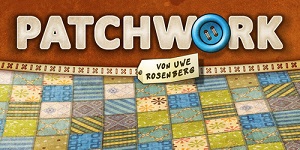
Sous ce titre facile, voici un petit jeu que je souhaitais découvrir! merci Mr Jost!

Un score de 18 à 17, je m'en sort pas trop mal car j'ai laissé plein de trous dans mon ouvrage...

 

Retour utilisateur

Commentaires recommandés

Il n’y a aucun commentaire à afficher.

Rejoindre la conversation

Vous pouvez publier maintenant et vous inscrire plus tard. Si vous avez un compte, connectez-vous maintenant pour publier avec votre compte.

Invité
Ajouter un commentaire…

Account

Navigation

Rechercher

Rechercher

Configure browser push notifications

Chrome (Android)
  1. Tap the lock icon next to the address bar.
  2. Tap Permissions → Notifications.
  3. Adjust your preference.
Chrome (Desktop)
  1. Click the padlock icon in the address bar.
  2. Select Site settings.
  3. Find Notifications and adjust your preference.