

Skip to content
View in the app

A better way to browse. Learn more.

Association jeux de société Lyon - Les Aventuriers du Rhône

A full-screen app on your home screen with push notifications, badges and more.

To install this app on iOS and iPadOS
  1. Tap the Share icon in Safari
  2. Scroll the menu and tap Add to Home Screen.
  3. Tap Add in the top-right corner.
To install this app on Android
  1. Tap the 3-dot menu (⋮) in the top-right corner of the browser.
  2. Tap Add to Home screen or Install app.
  3. Confirm by tapping Install.

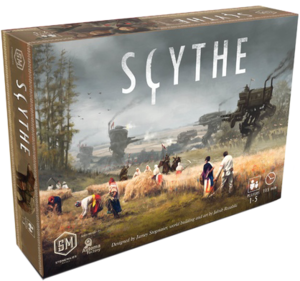
Scythe à trois, Jeu Set et Match !

Partie à 3 avec la Saxonie (Max), les Nordiques (Denis) et les Rusviets (Émilien)

Emilien découvrait le jeu, j'espère que ça lui a plu.


Partie finie sans aucun combat !

J'ai gagné, suivi de Denis et plus loin, Émilien,


On a enchainé avec une partie de Welcome, toujours bien sympa ;) avec des scores de 112, 104 et 100, bien serrée ;)

User Feedback

Recommended Comments

Max

Member
Merci pour la soirée, c'était bien cool même si on n'a pas pu faire "Un canon, un gateau !"
Guest Zandromas

Guest Zandromas

Guest

ça m'a beaucoup plu malgré une défaite sans contestation !

merci :D

Guest Vince

Guest Vince

Guest
Pfff, j'ai fini le taf à 22h00, autant dire que la partie devait être bien avancée... Déçu d'avoir raté ça.

Join the conversation

You can post now and register later. If you have an account, sign in now to post with your account.

Guest
Add a comment...

Account

Navigation

Search

Search

Configure browser push notifications

Chrome (Android)
  1. Tap the lock icon next to the address bar.
  2. Tap Permissions → Notifications.
  3. Adjust your preference.
Chrome (Desktop)
  1. Click the padlock icon in the address bar.
  2. Select Site settings.
  3. Find Notifications and adjust your preference.