
Aller au contenu
View in the app

A better way to browse. Learn more.

Association jeux de société Lyon - Les Aventuriers du Rhône

A full-screen app on your home screen with push notifications, badges and more.

To install this app on iOS and iPadOS
  1. Tap the Share icon in Safari
  2. Scroll the menu and tap Add to Home Screen.
  3. Tap Add in the top-right corner.
To install this app on Android
  1. Tap the 3-dot menu (⋮) in the top-right corner of the browser.
  2. Tap Add to Home screen or Install app.
  3. Confirm by tapping Install.

T'habite Bourg-la-Reine ou Nation ?

Bon, j'avais tapé un gros baratin, mais ça s'est perdu dans les limbes entre temps. :/


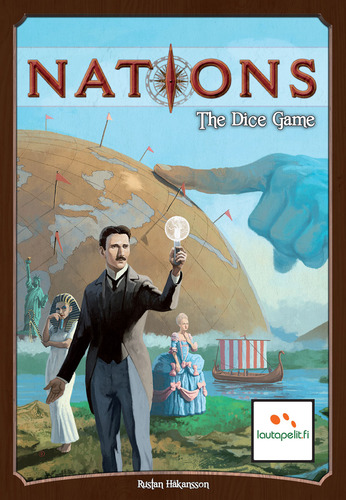
En résumé, Valérie et moi avons bien aimé le jeu qui m'a parut beaucoup moins hasardeux que la première fois (merci les relances). Malgré les nombreux conseils avisés de Max, on s'est quand même pris une bonne fessée, mais ça faisait plaisir. :)


C'est fluide, rapide et y'a des dés. Un bon p'tit jeu qui serait top si les illustrations n'étaient pas aussi... allemandes ?

Retour utilisateur

Commentaires recommandés

Il n’y a aucun commentaire à afficher.

Rejoindre la conversation

Vous pouvez publier maintenant et vous inscrire plus tard. Si vous avez un compte, connectez-vous maintenant pour publier avec votre compte.

Invité
Ajouter un commentaire…

Account

Navigation

Rechercher

Rechercher

Configure browser push notifications

Chrome (Android)
  1. Tap the lock icon next to the address bar.
  2. Tap Permissions → Notifications.
  3. Adjust your preference.
Chrome (Desktop)
  1. Click the padlock icon in the address bar.
  2. Select Site settings.
  3. Find Notifications and adjust your preference.